
🔗 MySQL Joins – Complete Guide with Practical Examples
In MySQL, JOIN clauses allow you to combine rows from two or more tables based on related columns.
We’ll use these three sample tables:
👨💼 employees Table
| employee_id | name | department_id | manager_id |
|---|---|---|---|
| 1 | Alice | 1 | NULL |
| 2 | Bob | 2 | 1 |
| 3 | Charlie | 3 | 1 |
| 4 | David | NULL | 2 |
| 5 | Eva | 2 | 2 |
🏢 departments Table
| department_id | department_name |
|---|---|
| 1 | HR |
| 2 | IT |
| 4 | Marketing |
💻 laptops Table
| laptop_id | employee_id | brand |
|---|---|---|
| 1 | 1 | Dell |
| 2 | 2 | HP |
| 3 | 3 | Lenovo |
| 4 | 5 | Apple |
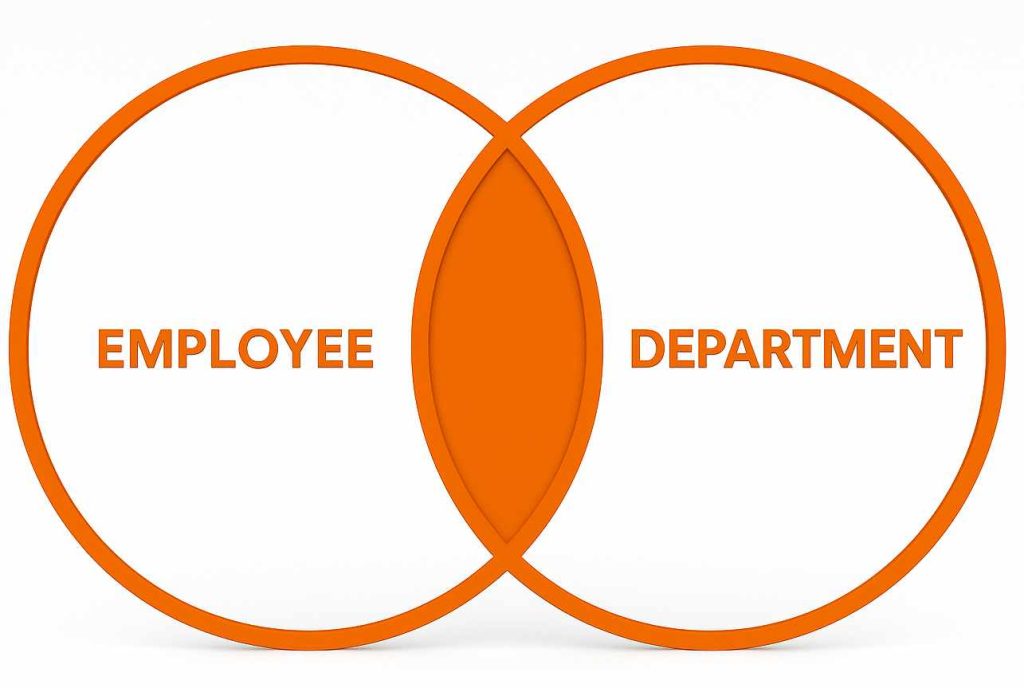
✅ 1️⃣ INNER JOIN – Only Matching Rows
Goal: Get employee names with their department names.
✅ Result: Only employees with matching departments.
| name | department_name |
|---|---|
| Alice | HR |
| Bob | IT |
| Eva | IT |
🟥 Charlie (dept 3 not in departments) and David (no department) are excluded.
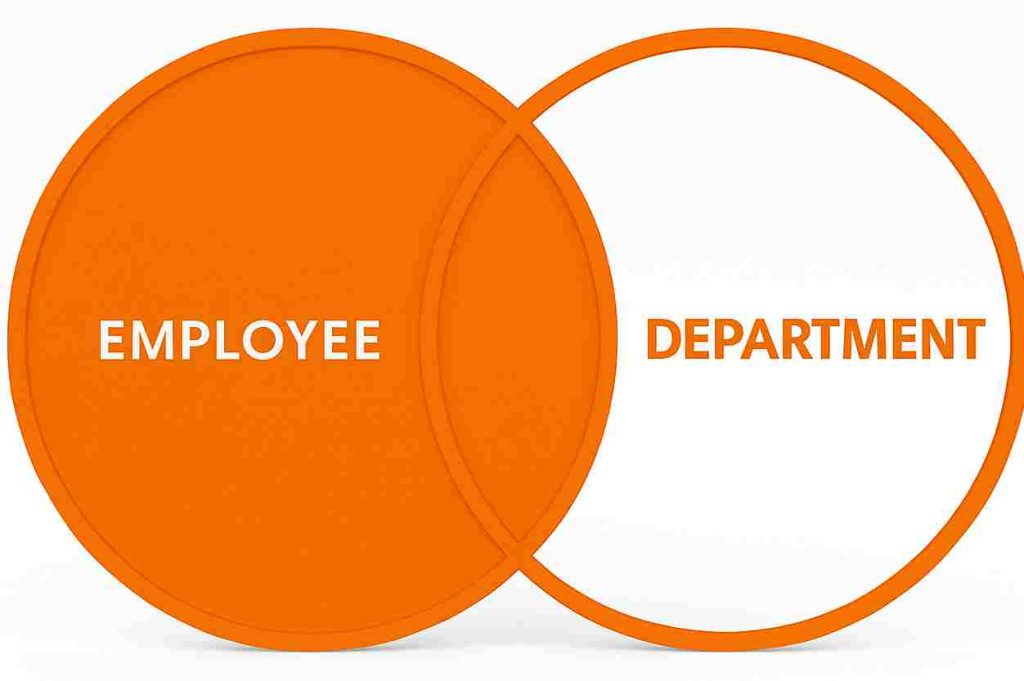
✅ 2️⃣ LEFT JOIN – All from Left + Matching from Right
Goal: List all employees, even if no department exists.
✅ Result:
| name | department_name |
|---|---|
| Alice | HR |
| Bob | IT |
| Charlie | NULL |
| David | NULL |
| Eva | IT |
All employees included. Charlie and David have no matching departments.
✅ 3️⃣ RIGHT JOIN – All from Right + Matching from Left
Goal: List all departments, even if no employees exist.
✅ Result:
| name | department_name |
|---|---|
| Alice | HR |
| Bob | IT |
| Eva | IT |
| NULL | Marketing |
🟥 Marketing has no employees, so name is NULL.

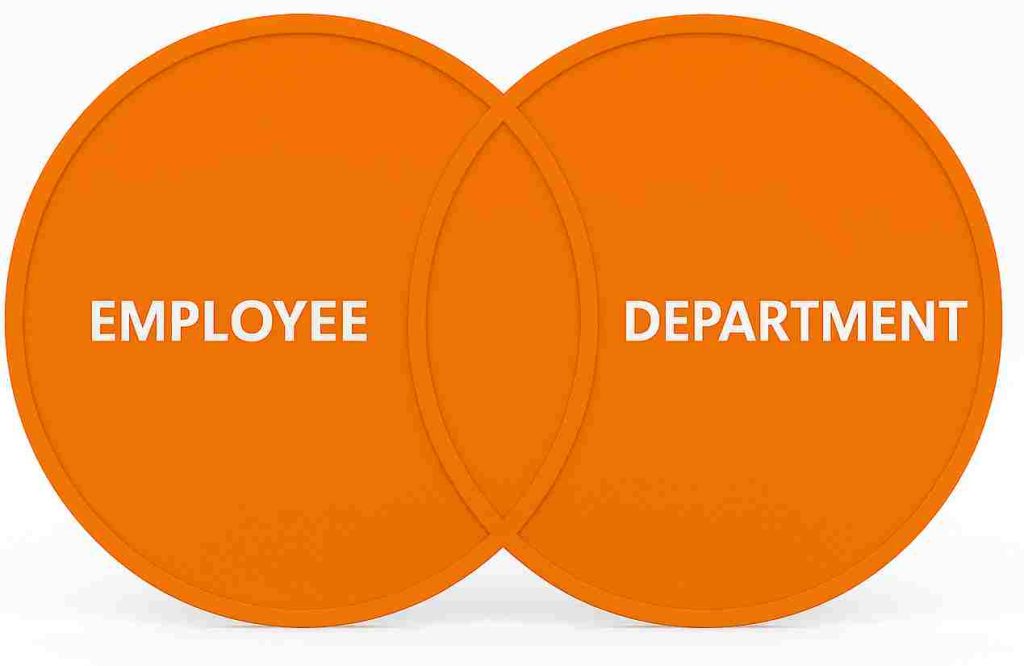
✅ 4️⃣ CROSS JOIN – All Combinations
Goal: Show all possible employee-department combinations.
✅ Result: 5 employees × 3 departments = 15 rows.
| name | department_name |
|---|---|
| Alice | HR |
| Alice | IT |
| Alice | Marketing |
| Bob | HR |
| … | … |
Used rarely, but helpful for creating combinations or matrices.
✅ 5️⃣ SELF JOIN – Relating a Table to Itself
Goal: Show which employee reports to whom (using manager_id).
✅ Result:
| Employee | Manager |
|---|---|
| Alice | NULL |
| Bob | Alice |
| Charlie | Alice |
| David | Bob |
| Eva | Bob |
✅ 6️⃣ JOIN with a Third Table (Laptop Info)
Goal: Show each employee with their laptop brand and department.
✅ Result:
| name | department_name | brand |
|---|---|---|
| Alice | HR | Dell |
| Bob | IT | HP |
| Charlie | NULL | Lenovo |
| David | NULL | NULL |
| Eva | IT | Apple |
🔄 All employees shown — laptop and department shown if exists.
✅ 7️⃣ FULL OUTER JOIN (Simulated in MySQL)
MySQL doesn’t support FULL OUTER JOIN natively. You can simulate it using UNION.
Goal: Get all employees and all departments even if no match.
SELECT e.name, d.department_name

FROM employees e

RIGHT JOIN departments d ON e.department_id = d.department_id;
✅ Combines unmatched records from both sides.
✅ 8️⃣ UNION – Merge Query Results Vertically
Goal: Combine all employee names and department names into one list.
✅ Result: One-column result with all unique names (no duplicates).
📊 Summary Table
| JOIN Type | Description | NULLs When No Match? |
|---|---|---|
INNER JOIN |
Only matching rows from both tables | ❌ |
LEFT JOIN |
All from left + matches from right | ✅ Right side |
RIGHT JOIN |
All from right + matches from left | ✅ Left side |
CROSS JOIN |
All combinations (Cartesian product) | ❌ |
SELF JOIN |
Join a table to itself | ✅ |
UNION |
Merge results vertically (distinct only) | ✅ Duplicates removed |
UNION ALL |
Same as UNION, but includes duplicates | ✅ |
FULL OUTER JOIN |
Simulated using UNION of LEFT + RIGHT JOIN | ✅ Both sides |





