
AI Reading
Quick summary of this article
This tutorial provides a complete, step-by-step guide to building a user management system with Ruby on Rails. It covers everything from database setup and model creation to building a responsive Bootstrap 5 interface and writing automated tests. The focus is on creating a secure CRUD application with password hashing, data validation, and clean RESTful routes.
- Uses Rails' `resources :users` route to automatically generate the 7 standard RESTful actions (index, new, create, show, edit, update, destroy).
- Implements secure authentication with `has_secure_password` (BCrypt) and includes validations for name, email format, uniqueness, and password length.
- Builds a reusable form partial with live error messages and a responsive Bootstrap 5 UI featuring tables, cards, and action buttons.
- Includes automated tests (model and integration) to verify user creation, updates, deletion, validations, and email normalization.
- Uses SQLite as the default database with no extra configuration needed, but offers flexibility to switch to PostgreSQL or MySQL.
Ruby on Rails Tutorial: Build a Complete User CRUD Application with Bootstrap and Secure Authentication
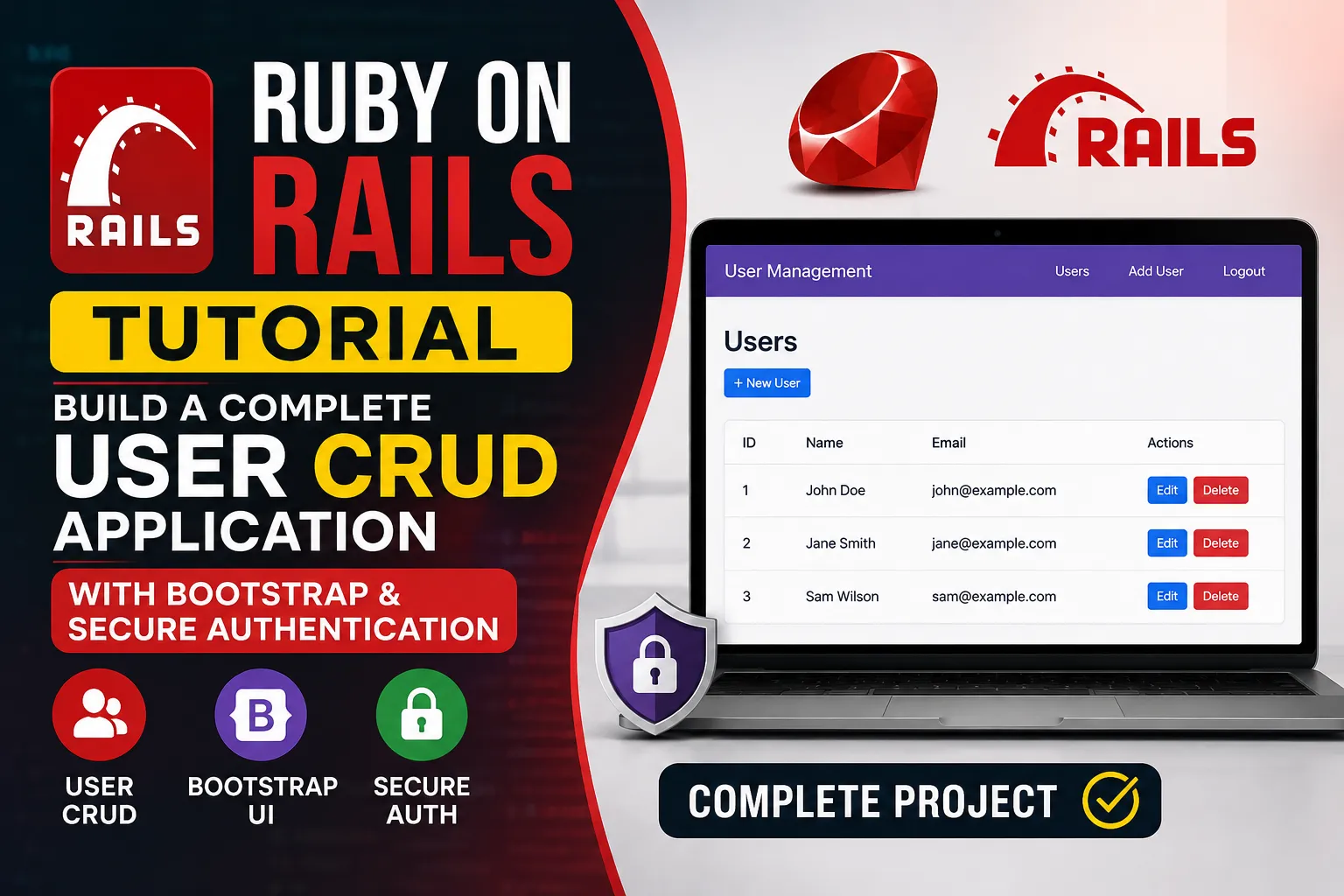
In this step-by-step tutorial, you will learn how to build a full-featured CRUD (Create, Read, Update, Delete) application in Ruby on Rails from scratch. We will build a complete User Management System with secure password hashing (BCrypt), data validations, clean RESTful controller actions, a modern Bootstrap 5 UI, and automated tests.
AI Reading
Quick summary of this tutorial
- Learn how the 7 RESTful routes map to CRUD actions in Rails controllers.
- Implement secure authentication with
has_secure_passwordand Active Record validations. - Create reusable ERB form partials with live validation error feedback.
- Style views with responsive Bootstrap 5 tables, cards, and high-contrast action buttons.
- Write and execute automated unit and integration tests to ensure code reliability.
🗄️ Step 0: Database Configuration (SQLite by Default)
Rails uses SQLite as the default development database. No extra configuration is required. If you prefer PostgreSQL or MySQL, change the gem in your Gemfile and update config/database.yml. For this tutorial, we stick with SQLite.
Make sure your config/database.yml looks like this:
# config/database.yml
default: &default
  adapter: sqlite3
  pool: <%= ENV.fetch("RAILS_MAX_THREADS") { 5 } %>
  timeout: 5000

development:
  <<: *default
  database: db/development.sqlite3

test:
  <<: *default
  database: db/test.sqlite3

production:
  <<: *default
  database: db/production.sqlite3
Then run:
rails db:create
rails db:migrate
🚀 Step 1: Generate the Database Migration
rails generate migration CreateUsers first_name:string last_name:string email:string password_digest:string
rails db:migrate
The generated migration in db/migrate/xxxxxx_create_users.rb looks like this:
class CreateUsers < ActiveRecord::Migration[8.0]
  def change
    create_table :users do |t|
      t.string :first_name
      t.string :last_name
      t.string :email
      t.string :password_digest

      t.timestamps
    end
  end
end
💾 Step 2: Implement the User Model
Open app/models/user.rb and paste:
# app/models/user.rb
class User < ApplicationRecord
  has_secure_password

  before_save :normalize_email

  validates :first_name, presence: true, length: { maximum: 50 }
  validates :last_name, presence: true, length: { maximum: 50 }
  validates :email, presence: true,
                    uniqueness: { case_sensitive: false },
                    format: { with: URI::MailTo::EMAIL_REGEXP },
                    length: { maximum: 255 }
  validates :password, length: { minimum: 6 }, allow_nil: true

  def full_name
    "#{first_name} #{last_name}".strip
  end

  private

  def normalize_email
    self.email = email.downcase.strip if email.present?
  end
end
🔗 Step 3: Configure RESTful Routes
# config/routes.rb
Rails.application.routes.draw do
  resources :users
  root "users#index"
end
This provides 7 standard routes:
| HTTP Verb | Path | Controller#Action | Purpose |
|---|---|---|---|
GET |
/users |
users#index |
Display all users |
GET |
/users/new |
users#new |
Render form for new user |
POST |
/users |
users#create |
Save new user to database |
GET |
/users/:id |
users#show |
Display specific user details |
GET |
/users/:id/edit |
users#edit |
Render form to edit user |
PATCH/PUT |
/users/:id |
users#update |
Save updated user data |
DELETE |
/users/:id |
users#destroy |
Delete a user record |
🔧 Step 4: Build the Users Controller
# app/controllers/users_controller.rb
class UsersController < ApplicationController
  before_action :set_user, only: %i[ show edit update destroy ]

  # GET /users
  def index
    @users = User.all.order(created_at: :desc)
  end

  # GET /users/1
  def show
  end

  # GET /users/new
  def new
    @user = User.new
  end

  # GET /users/1/edit
  def edit
  end

  # POST /users
  def create
    @user = User.new(user_params)

    respond_to do |format|
      if @user.save
        format.html { redirect_to user_url(@user), notice: "User was successfully created." }
        format.json { render :show, status: :created, location: @user }
      else
        format.html { render :new, status: :unprocessable_entity }
        format.json { render json: @user.errors, status: :unprocessable_entity }
      end
    end
  end

  # PATCH/PUT /users/1
  def update
    respond_to do |format|
      if @user.update(user_update_params)
        format.html { redirect_to user_url(@user), notice: "User was successfully updated." }
        format.json { render :show, status: :ok, location: @user }
      else
        format.html { render :edit, status: :unprocessable_entity }
        format.json { render json: @user.errors, status: :unprocessable_entity }
      end
    end
  end

  # DELETE /users/1
  def destroy
    @user.destroy!

    respond_to do |format|
      format.html { redirect_to users_url, status: :see_other, notice: "User was successfully deleted." }
      format.json { head :no_content }
    end
  end

  private

  def set_user
    @user = User.find(params[:id])
  rescue ActiveRecord::RecordNotFound
    redirect_to users_url, alert: "User not found."
  end

  def user_params
    params.require(:user).permit(:first_name, :last_name, :email, :password, :password_confirmation)
  end

  def user_update_params
    params_to_update = user_params
    if params_to_update[:password].blank?
      params_to_update = params_to_update.except(:password, :password_confirmation)
    end
    params_to_update
  end
end
🎨 Step 5: Design Responsive Bootstrap Views
5.1 The Shared Form Partial (app/views/users/_form.html.erb)
<%= form_with(model: user, local: true) do |form| %>
<% if user.errors.any? %>
<div class="alert alert-danger" role="alert">
<h5 class="alert-heading"><%= pluralize(user.errors.count, "error") %> prohibited this user from being saved:</h5>
<ul class="mb-0 ps-3">
<% user.errors.full_messages.each do |message| %>
<li><%= message %></li>
<% end %>
</ul>
</div>
<% end %>
<div class="row g-3">
<div class="col-md-6 mb-3">
<%= form.label :first_name, "First Name", class: "form-label fw-semibold" %>
<%= form.text_field :first_name, class: "form-control", placeholder: "e.g. John", required: true %>
</div>
<div class="col-md-6 mb-3">
<%= form.label :last_name, "Last Name", class: "form-label fw-semibold" %>
<%= form.text_field :last_name, class: "form-control", placeholder: "e.g. Doe", required: true %>
</div>
</div>
<div class="mb-3">
<%= form.label :email, "Email Address", class: "form-label fw-semibold" %>
<%= form.email_field :email, class: "form-control", placeholder: "name@example.com", required: true %>
</div>
<div class="row g-3">
<div class="col-md-6 mb-3">
<%= form.label :password, class: "form-label fw-semibold" %>
<% if user.persisted? %>
<small class="text-muted d-block mb-1">(Leave blank to keep current password)</small>
<% end %>
<%= form.password_field :password, class: "form-control", placeholder: user.persisted? ? "New password (optional)" : "At least 6 characters", required: user.new_record? %>
</div>
<div class="col-md-6 mb-3">
<%= form.label :password_confirmation, "Confirm Password", class: "form-label fw-semibold" %>
<% if user.persisted? %>
<small class="text-muted d-block mb-1"> </small>
<% end %>
<%= form.password_field :password_confirmation, class: "form-control", placeholder: "Re-type password", required: user.new_record? %>
</div>
</div>
<div class="d-flex justify-content-between align-items-center mt-4 pt-2 border-top">
<%= link_to "Cancel", users_path, class: "btn btn-outline-secondary" %>
<%= form.submit(user.persisted? ? "Update User" : "Create User", class: "btn btn-primary px-4") %>
</div>
<% end %>5.2 The Index List (app/views/users/index.html.erb)
<div class="container mt-4">
  <div class="d-flex justify-content-between align-items-center mb-4">
    <h1 class="h2 mb-0">Users Management</h1>
    <%= link_to "Add New User", new_user_path, class: "btn btn-primary" %>
  </div>

  <% if @users.any? %>
    <div class="card shadow-sm border-0">
      <div class="table-responsive">
        <table class="table table-hover align-middle mb-0">
          <thead class="table-dark">
            <tr>
              <th scope="col" class="ps-3" style="width: 50px;">#</th>
              <th scope="col">Name</th>
              <th scope="col">Email</th>
              <th scope="col">Created At</th>
              <th scope="col" class="text-end pe-3" style="min-width: 220px;">Actions</th>
            </tr>
          </thead>
          <tbody>
            <% @users.each_with_index do |user, index| %>
              <tr>
                <td class="ps-3 text-muted"><%= index + 1 %></td>
                <td><strong><%= user.full_name %></strong></td>
                <td><a href="mailto:<%= user.email %>" class="text-decoration-none"><%= user.email %></a></td>
                <td><%= user.created_at.strftime("%b %d, %Y") %></td>
                <td class="text-end pe-3">
                  <%= link_to "View", user_path(user), class: "btn btn-sm btn-outline-info me-1" %>
                  <%= link_to "Edit", edit_user_path(user), class: "btn btn-sm btn-outline-warning me-1" %>
                  <%= button_to "Delete", user_path(user), method: :delete, class: "btn btn-sm btn-outline-danger", form: { style: 'display: inline-block;' }, data: { confirm: "Are you sure?" } %>
                </td>
              </tr>
            <% end %>
          </tbody>
        </table>
      </div>
    </div>
  <% else %>
    <div class="alert alert-info text-center" role="alert">
      No users found. <%= link_to "Create the first user", new_user_path, class: "alert-link" %>.
    </div>
  <% end %>
</div>
5.3 The Show View (app/views/users/show.html.erb)
<div class="container mt-4">
  <div class="card shadow-sm border-0">
    <div class="card-header bg-primary text-white">
      <h2 class="h4 mb-0">User Details</h2>
    </div>
    <div class="card-body">
      <dl class="row">
        <dt class="col-sm-3 fw-semibold">Full Name</dt>
        <dd class="col-sm-9"><%= @user.full_name %></dd>

        <dt class="col-sm-3 fw-semibold">Email</dt>
        <dd class="col-sm-9"><%= @user.email %></dd>

        <dt class="col-sm-3 fw-semibold">Created At</dt>
        <dd class="col-sm-9"><%= @user.created_at.strftime("%B %d, %Y at %I:%M %p") %></dd>

        <dt class="col-sm-3 fw-semibold">Updated At</dt>
        <dd class="col-sm-9"><%= @user.updated_at.strftime("%B %d, %Y at %I:%M %p") %></dd>
      </dl>

      <div class="d-flex gap-2 mt-3">
        <%= link_to "Edit", edit_user_path(@user), class: "btn btn-warning" %>
        <%= link_to "Back to Users", users_path, class: "btn btn-secondary" %>
        <%= button_to "Delete", @user, method: :delete, class: "btn btn-danger", data: { confirm: "Are you sure?" } %>
      </div>
    </div>
  </div>
</div>
5.4 The New View (app/views/users/new.html.erb)
<div class="container mt-4">
  <div class="row justify-content-center">
    <div class="col-lg-8">
      <div class="card shadow-sm border-0">
        <div class="card-header bg-success text-white">
          <h2 class="h4 mb-0">Create New User</h2>
        </div>
        <div class="card-body">
          <%= render "form", user: @user %>
        </div>
      </div>
    </div>
  </div>
</div>
5.5 The Edit View (app/views/users/edit.html.erb)
<div class="container mt-4">
  <div class="row justify-content-center">
    <div class="col-lg-8">
      <div class="card shadow-sm border-0">
        <div class="card-header bg-warning text-dark">
          <h2 class="h4 mb-0">Edit User</h2>
        </div>
        <div class="card-body">
          <%= render "form", user: @user %>
        </div>
      </div>
    </div>
  </div>
</div>
5.6 Flash Messages and Layout
Add this inside <body> of app/views/layouts/application.html.erb (before <%= yield %>):
<div class="container mt-3">
  <% flash.each do |type, message| %>
    <div class="alert alert-<%= type == 'notice' ? 'success' : 'danger' %> alert-dismissible fade show" role="alert">
      <%= message %>
      <button type="button" class="btn-close" data-bs-dismiss="alert" aria-label="Close"></button>
    </div>
  <% end %>
</div>
And include Bootstrap 5 in the <head>:
<link href="https://cdn.jsdelivr.net/npm/bootstrap@5.3.0/dist/css/bootstrap.min.css" rel="stylesheet">
<script src="https://cdn.jsdelivr.net/npm/bootstrap@5.3.0/dist/js/bootstrap.bundle.min.js"></script>
🧪 Step 6: Write Automated Tests
6.1 Model Test (test/models/user_test.rb)
require "test_helper"

class UserTest < ActiveSupport::TestCase
  def setup
    @user = User.new(
      first_name: "John",
      last_name: "Doe",
      email: "john@example.com",
      password: "password123",
      password_confirmation: "password123"
    )
  end

  test "should be valid" do
    assert @user.valid?
  end

  test "first_name should be present" do
    @user.first_name = "   "
    assert_not @user.valid?
  end

  test "last_name should be present" do
    @user.last_name = "   "
    assert_not @user.valid?
  end

  test "email should be present" do
    @user.email = "   "
    assert_not @user.valid?
  end

  test "email should be unique (case insensitive)" do
    duplicate_user = @user.dup
    duplicate_user.email = @user.email.upcase
    @user.save
    assert_not duplicate_user.valid?
  end

  test "email should be normalized to lowercase" do
    @user.email = "JOHN@EXAMPLE.COM"
    @user.save
    assert_equal "john@example.com", @user.reload.email
  end

  test "password should be at least 6 characters" do
    @user.password = "12345"
    @user.password_confirmation = "12345"
    assert_not @user.valid?
  end

  test "full_name returns concatenated first and last name" do
    assert_equal "John Doe", @user.full_name
  end
end
6.2 Integration Test (test/integration/users_test.rb)
require "test_helper"

class UsersTest < ActionDispatch::IntegrationTest
  def setup
    @user = User.create!(
      first_name: "Jane",
      last_name: "Smith",
      email: "jane@example.com",
      password: "password",
      password_confirmation: "password"
    )
  end

  test "index page shows users" do
    get users_path
    assert_response :success
    assert_select "h1", "Users Management"
    assert_select "td", text: "Jane Smith"
  end

  test "can create a new user" do
    get new_user_path
    assert_response :success

    assert_difference "User.count", 1 do
      post users_path, params: {
        user: {
          first_name: "Bob",
          last_name: "Builder",
          email: "bob@example.com",
          password: "secret123",
          password_confirmation: "secret123"
        }
      }
      follow_redirect!
    end

    assert_response :success
    assert_select "div.alert-success", text: /User was successfully created/
  end

  test "can update a user" do
    patch user_path(@user), params: {
      user: {
        first_name: "Janet"
      }
    }
    follow_redirect!
    assert_response :success
    assert_select "div.alert-success", text: /User was successfully updated/
    @user.reload
    assert_equal "Janet", @user.first_name
  end

  test "can delete a user" do
    assert_difference "User.count", -1 do
      delete user_path(@user)
      follow_redirect!
    end
    assert_response :success
    assert_select "div.alert-success", text: /User was successfully deleted/
  end

  test "edit form shows validation errors" do
    get edit_user_path(@user)
    patch user_path(@user), params: {
      user: {
        first_name: "",
        email: "invalid"
      }
    }
    assert_response :unprocessable_entity
    assert_select "div.alert-danger"
  end
end
Run tests with:
rails test✅ Step 7: Run the Server
rails serverVisit http://localhost:3000 and start managing your users!
🎉 Final Notes
- All CRUD operations work out‑of‑the‑box.
- Passwords are securely hashed using BCrypt.
- Bootstrap 5 gives a modern, responsive UI.
- Tests ensure your code is reliable.
You now have a complete Rails CRUD application. Happy coding! 🚀