
AI Reading
Quick summary of this article
This guide explains how to use the Bloc pattern with Hydrated Bloc in Flutter to manage and automatically save app state across restarts. It walks through building a simple app with a shopping cart and a brightness toggle, where both states persist even after closing and reopening the app.
- Hydrated Bloc automatically saves and restores state using local storage, so user data like cart items or theme settings survive app restarts without extra code.
- The app separates business logic into Cubits (for cart items) and Blocs (for brightness), making the code easier to maintain and test.
- To use Hydrated Bloc, you must initialize storage in
main.dartand overridefromJsonandtoJsonmethods in each Bloc or Cubit to define how state is saved and loaded. - The cart example uses a
HydratedCubitthat stores a list ofCartItemobjects, while the brightness example uses aHydratedBlocthat toggles between light and dark themes. - State changes are triggered by events (like
ToggleBrightnessEvent) or direct method calls (likeaddToCart), and the UI rebuilds automatically usingBlocBuilder.
Introduction to Persistent State Management in Flutter
Flutter is an amazing framework for building cross-platform mobile applications. However, when it comes to state management, developers need a solid solution that is scalable and maintainable. This is where the Bloc (Business Logic Component) pattern comes in. Combined with Hydrated Bloc, it becomes an extremely powerful tool to manage and persist state across app restarts.
In this guide, we will:
- Create a Flutter app using Bloc and Cubit
- Use HydratedBloc for persisting state
- Structure the app into Cubits, Blocs, Models, and Screens
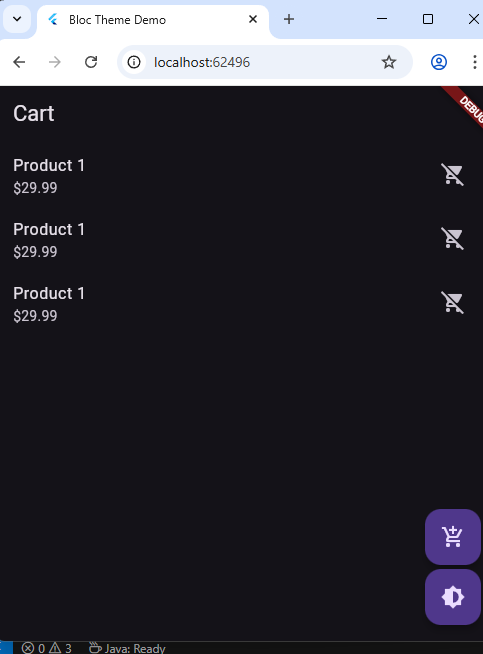
- Implement a cart system and brightness toggle that retains state
Folder Structure
lib/
├── main.dart
├── blocs/
│   └── brightness_bloc.dart
├── cubits/
│   └── cart_cubit.dart
├── models/
│   └── cart_model.dart
└── screens/
    ├── cart_page.dart
    └── home_page.dart
Step 1: Setup Dependencies
In your pubspec.yaml:
dependencies:
  flutter:
    sdk: flutter
  flutter_bloc: ^9.1.0
  hydrated_bloc: ^10.0.0
  path_provider: ^2.0.15
Run:
flutter pub getStep 2: main.dart (Initialize Hydrated Storage)
Step 3: blocs/brightness_bloc.dart
Step 4: models/cart_model.dart
Step 5: cubits/cart_cubit.dart
Step 6: screens/home_page.dart
Step 7: screens/cart_page.dart
Conclusion
With Hydrated Bloc, Flutter state management becomes not just reactive and powerful, but persistent across sessions. By separating business logic using Cubits and Blocs, and saving them using Hydrated Bloc, you create maintainable, testable, and user-friendly apps.